

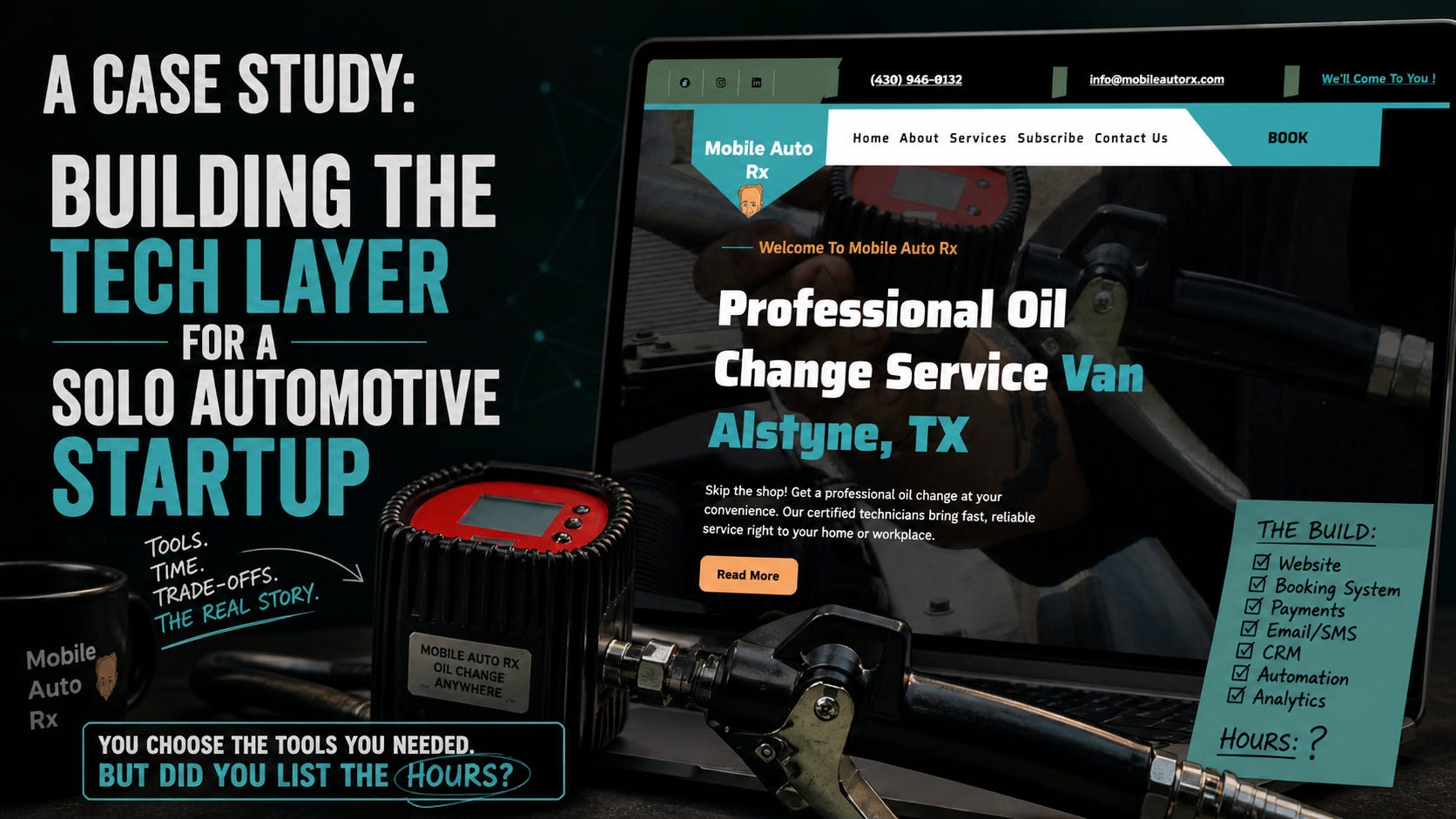
Brine Beresford — Mobile Auto Rx | North TX
Business: Mobile Auto Rx: mobile oil changes, vehicle inspections, tire rotations, and maintenance delivered to homes and workplaces in Grayson and Collin Counties, North TX.
Owner: Brine Beresford. Solo operator. Technician, scheduler, customer service rep, business owner and proud husband & father—all at the same time.
Stage at Start: Pre-digital, no website, no structured social media presence, logo on a trailer and word-of-mouth only.
Bandwidth for Tech: 1–2 hours per week.
My Engagement: Part-Time Fractional CTO - monthly retainer, ongoing advisory and build support.
Timeframe: 2024-25
Here’s how it went.
What’s up, I’m Clint. Built software. Led teams. Now a founder consulting for small businesses and building with AI every day. More…
The Problem
Brine came in with 2 bloated problems, one visible and one not as clear.
Visible: No digital presence or website, no structured social media—although one was in the works.
No way for a customer to find him outside of a personal referral, google business profile, and networking group.
Not as visible: He was running Fieldd—a technician CRM that couldn’t quite meet all his needs—although, it was tied to QuickBooks it didn’t allow external payment providers such as PayTech.
Fieldd had many valuable options, some clear and some a bit confusing—such as Zapier which was “involved” for a solo founder, but not supporting his payment provider was the no-go.
He also had no way to visualize his own technical business model, clearly enough to know which tech decisions to make first.
“Life’s challenges repeat until you learn the lesson.” — Eduardo Palacios Olguin
Diagnosis Methodology
Phase 1 — The Achievement Facilitation Framework
Before touching any tool, I ran Brine through my Achievement Facilitation Framework—a structured questioning process designed to surface current state, future state, and the constraints in between.
The 4 core questions:
How and Why did you start this business?
What does your business look like right now?
What does it need to look like in 12 months?
What is actively blocking the gap?
We ran this in person with a physical whiteboard.
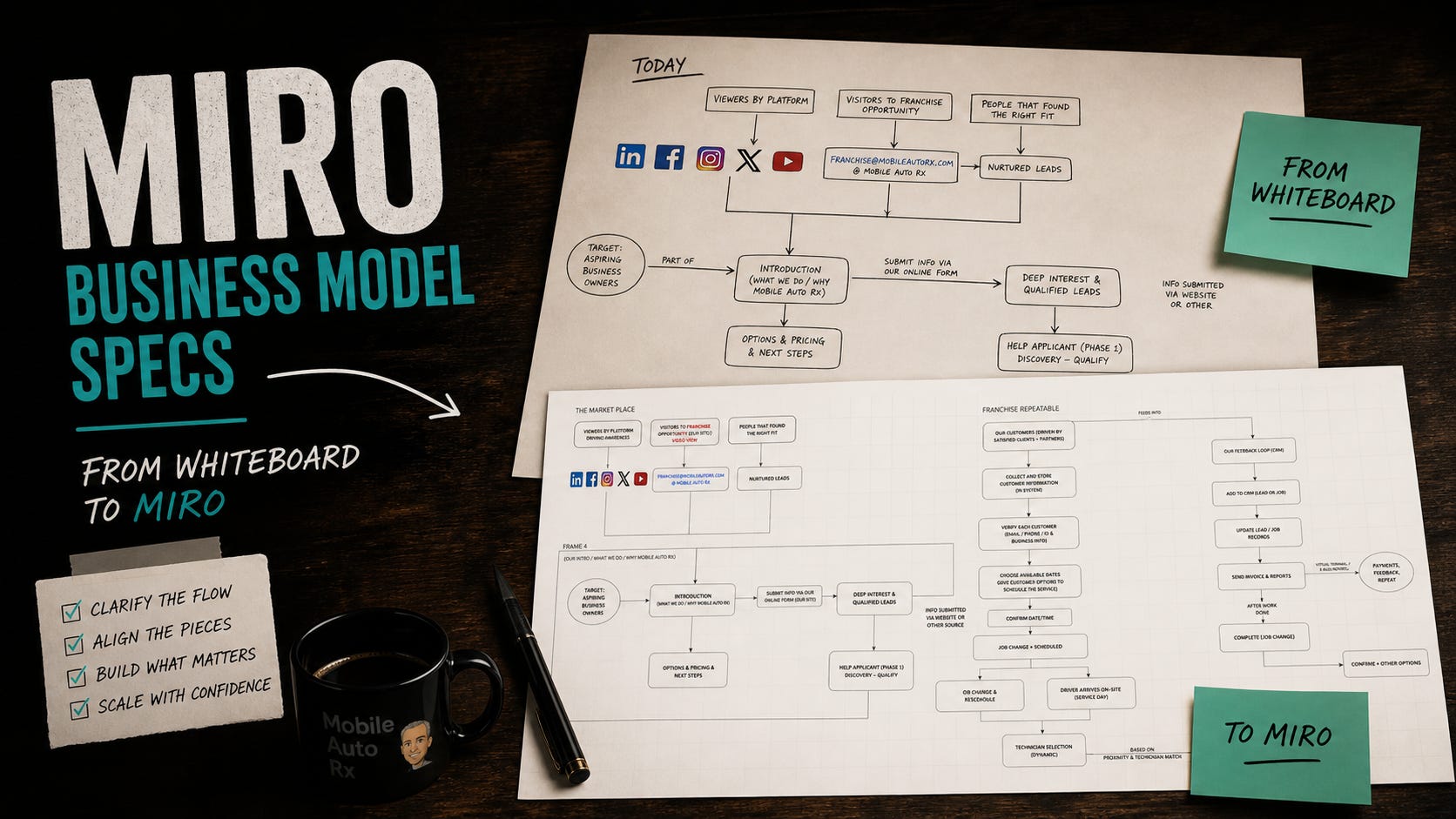
Two maps came out of it: a current state workflow and a future state workflow.
Both documented what happens from the moment a customer finds Mobile Auto Rx through booking, appointment, service delivery, payment, and follow-up.
I then rebuilt both maps in Miro and sent them to Brine.
He reviewed, marked up, and we iterated until the workflows accurately reflected his vision.
Phase 2 — CRM Assessment
The biggest operational friction that I identified in the whiteboard session was the diagnostic report flow.
Brine was generating CarFax-adjacent vehicle inspection reports and needed them to reach customers in a clean, professional format—the existing CRM made this cumbersome.
I used AI to run deep-research on alternative automotive technician CRM options. By comparing capability, pricing, payment integration flexibility, and learning curve for a solo operator.
Brine reviewed the findings, made calls to vendors himself and selected ARI—a new fully featured Auto Repair Software that included a CRM, many useful features, and had upgrade plans to support external payment providers.
They were very willing to work and grow with Brine.
My role was to translate the technical tradeoffs into decision-ready language, not to make the call for him.
This was not a generic service business so, his specific business preferences mattered more.
Technical Solution Stack
Website — WordPress CMS
Why WordPress over Squarespace, Wix or a static landing page?
Brine wanted full control, he wanted a system where he owned the database, could post real-time service updates and could scale to new pages without rebuilding—or bugging or depending on me.
WordPress was the right fit at this stage, I thought at the time, since I had a 10+ years experience—Squarespace and Wix would have been faster to launch but would have hit a ceiling quickly on the control and customization he had envisioned.
What was built:
WordPress site deployed on GoDaddy shared hosting
Template selected collaboratively, I then extended with custom CSS and HTML to match Brine’s brand colors—the base template wasn’t flexible enough out of the box through the standard WordPress customizer.
Custom PHP plugins written for:
Security hardening: login attempt tracking, comment functionality disabled, bot traffic logging
Log parsing: automated pull of GoDaddy server logs for site visit data
Google Maps integration with service area boundary marked—so visitors could immediately see coverage without a support email
Contact form with automated email routing—every submission went directly to Brine’s inbox
Social media links: LinkedIn, Instagram, Facebook—the active platforms where his network group & followers were already present
Feed page built with a templated structure—Brine’s only job was to drop in updated text and images—layout was locked
Website copy was a collaboration, some were generated with AI assistance, some written by Brine and his wife.
Brine ran a photo shoot for professional imagery. I edited the assets to fit the site’s layout requirements before uploading.
Booking and Payment Flow
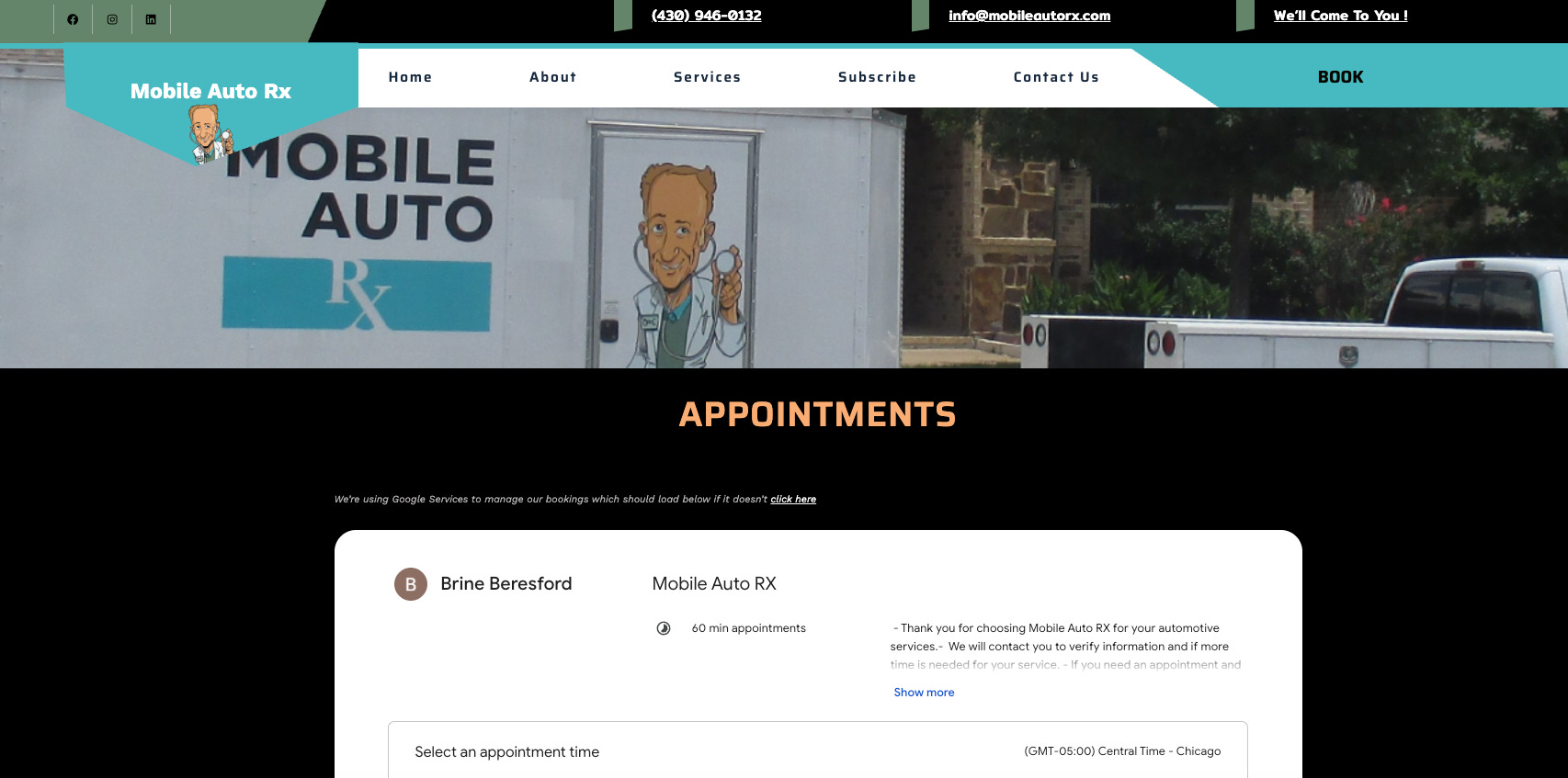
The booking integration used an iFrame pulled from ARI that was embedded directly into the site.
I then styled it to match the site’s colors as closely as the ARI’s iFrame constraints allowed—later replaced with Google calendar.
This meant the booking experience appeared native while the actual logic ran inside the ARI.
Payment flow:
Online customers booked via the iFrame, ARI handles the scheduling, except for other customers that called in
His new CRM (ARI) triggers a PayTech payment link sent to the customer
Payment completes in PayTech
Confirmation routes back to Brine’s inbox
Direct payment integration into WordPress was scoped but deprioritized, as the ARI + PayTech & other manual options was already in place and functional.
Adding a second payment path would have created reconciliation overhead for a solo operator.
Deployment and Infrastructure
SSL: Configured manually via SSH on the GoDaddy hosting account—not through the GoDaddy GUI, which had limitations at the time
Automated deployment pipeline: Built a local workflow where changes were made and tested locally, then pushed to the live WordPress server automatically via SSH—eliminating the manual FTP/file manager process that I started initially
Automated backup agent: Script that ran on a schedule and backed up the WordPress database and file system to a local store
Log analysis agent: Pulled GoDaddy server and WordPress logs on a schedule, passed them through a prompt to a local AI model, and generated a monthly website statistics report sent to Brine—covering site visits, traffic patterns, and any anomalies worth flagging
AI Lead Generation System
Built in 2025, before current agent frameworks matured—or I learned more.
This was a combination of automation, some copy and pasting from tools like Google Opal, Zapier and Notion.
Components:
Web scraping tool sourced from GitHub: configured to search target geographic areas for businesses matching Brine’s ideal customer profile (fleet operators, companies with work vehicles, trailer owners in Grayson and Collin Counties)
Opal + Local AI model: received structured search results, parsed and filtered them, returned a cleaned set of leads with phone numbers, website, and address
Python script: orchestrated the pipeline: trigger scrape → pass to AI → receive output → format report
Cron job: scheduled the pipeline to run on a set cadence
Automated email delivery: Google workspace and Zapier, included a final lead report sent to Brine on schedule without manual intervention
Look, it sounds good but, early runs required manual copy-paste from AI output to email.
Once the pipeline was stable, a local application handled the data passing between script stages and the email delivery was fully automated—and that came with it’s own challenges, so, let’s not talk about those. 😳
Implementation Notes
GOOD: The whiteboard to Miro workflow sessions were high-value.
Brine could see his business model visually—not described or just scribbled on paper.
The diagram help to show gaps in workflows or unnecessary steps in the payment chain.
The transfer to Miro gave him an artifact he could always reference.
The hands-on WordPress recorded training structure worked.
Instead of teaching WordPress broadly, the training focused on two things only:
The difference between a post and a page and…
How to use the feed page template.
That was the scope of what Brine would actually touch—keeping the training narrow kept the barrier low.
BAD: The shared time assumption was wrong.
The vision I planned, assumed Brine would have capacity after field work to update the site, post content, and follow up on leads.
In practice, after a full day of mobile automotive work, which required him to drive to customers, performing service, handling payments, managing the schedule, all was a pain.
That left close to 0 bandwidth for any digital operations.
The social media cadence stalled and the site edits fell behind.
The lead reports arrived but the outreach didn’t happen—it was just too much.
The lead generation system specifically exposed a scope gap—the system could surface contacts, but someone still needed to make the calls.
That outreach was outside the retainer scope and outside Brine’s available time.
The Pivot
When it became clear the full stack was unsustainable for a solo operator without additional bandwidth, the decision was straightforward
Simplify to what he could actually maintain.
Removed:
The CMS structure and feed page template—this required regular updates
The iFrame booking integration—no appointments = no need for booking infrastructure
The payment flow—no longer needed
Kept:
Domain, hosting and SSL
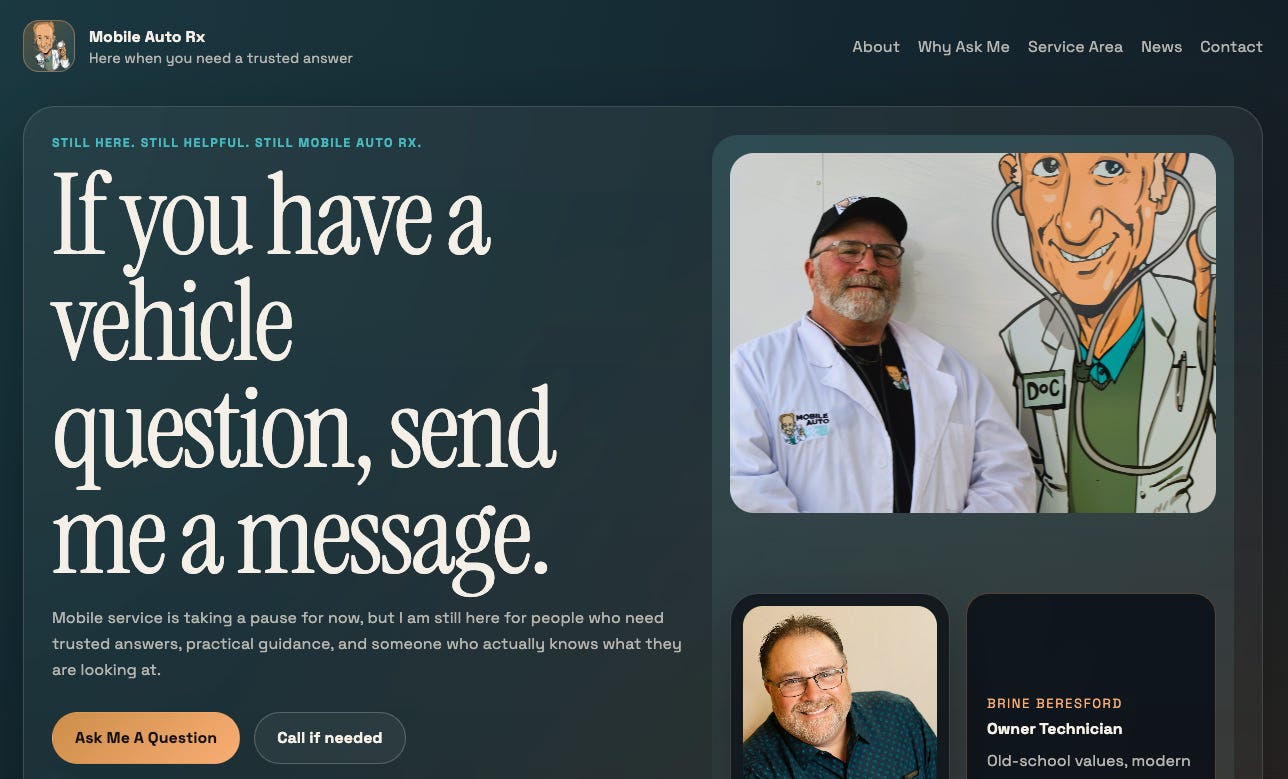
A new clean, minimal site, to maintain search visibility and credibility
Phone and email contact path
The database and WordPress installation—backed up and ready to scale when Brine returns
Brine made the decision to pause active appointments for personal reasons unrelated to the business model.
The tech decision to simplify the site was made in parallel—only, because the right system for a paused business is a different system than for an active one.
The current site is live at mobileautorx.com.
The foundation is in place with a path back when time is right.
When you're building something new, you face pitfalls and many learning opportunities; however, when you're building alongside other builders who care, solutions always surface
The Results
The booking increase Brine gained came from individuals, not businesses.
Brine’s original model was open to both but as individual bookings scaled up, it became clear that servicing individual vehicles one at a time wasn’t the right unit economics for a solo technician.
Fleet accounts and business vehicles would have been the better target.
That insight only became visible after running the system for a period of time.
You don’t know which customer type you’re attracting until the volume tells you.

4 Lessons for Builders as Founders and Operators
Map your roles before you map your tech: List every role you are playing in the business and estimate the hours each one takes. If the sum exceeds your available hours before you add a tech layer, the tech layer will fail because there may be no time to run it. This assessment probably should happen before the first tool is selected.
Control has a time cost: WordPress was the right choice for Brine’s stated goals. It was the wrong choice for his actual available bandwidth. The gap between what you want a system to be capable of and what you have time to operate is where most solo builder’s tech stacks break down.
Lead generation without outreach capacity is just data: A system that surfaces qualified leads is only as useful as the capacity to act on them. If the bottleneck is time and the solution generates more inputs, you’ve added load, not leverage.
Build for the business you’re running now, not the one you’re planning for: The full WordPress stack was the right architecture for the scaled version of Mobile Auto Rx. It was too much for the current version, mostly due to not matching the system to the operator’s actual state vs their intended state—this is one of the fractional CTO’s core jobs.
Daily bookings — 1–2 (word of mouth only) → 3–4 (site + social)
Digital presence — none → website, social profiles, Google Maps marker
Lead pipeline — none → automated daily lead report with contacts in target area
Deployment — manual FTP → SSH-automated local-to-live pipeline
Site monitoring — none → automated log analysis, monthly report
What This Looks Like for Your Business?
The work described here included an CRM assessment, workflow mapping, site architecture, automation pipelines, lead generation systems all formed the scope of what a fractional CTO engagement covers.
It didn’t start with a solution, I was careful to start with a diagnosis of current state, future state, constraints, and the gap between them.
Blind spots still showed up during execution. The diagnosis notes are what made them fixable.
If your tech layer is missing, wrong, or too much for the hours you actually have—you don’t have a tool problem.
1 session is where the clarity starts
Brine Beresford is the owner of Mobile Auto Rx, a mobile automotive service company in North TX. This case study is published with his permission.
Research Notes
As More Workers Go Solo, the Software Stack Is the New Firm — Solo founder bandwidth problem
Essential Guide to Business Process Mapping — Map before you build
WordPress vs Wix vs Squarespace: Why WordPress Needs Maintenance — WordPress control vs. overhead
Small Business Lead Generation Challenges — Leads without follow-up = load not leverage
The Do’s and Don’ts for Early Stage Startup Engineering — Right-size tech to current stage